OPENBLUE · DESIGNED 2024–25 · SHIPPED 2026
SAM: Space Activity Matrix & AI Assistant
Overview
Turning fragmented workplace analytics into a single, intuitive experience.
The Space Activity Matrix transforms scattered space-utilisation data into one visual, matrix-based view, letting users identify trends, compare spaces, and uncover optimisation opportunities without navigating multiple reports. I designed the AI-powered Ask SAM and Explain SAM features so users could interact with data in natural language and receive contextual insights directly in their workflow — moving from discovery, to understanding, to action.
Following FM:Systems' acquisition by Johnson Controls, the solution was modernised into the OpenBlue platform and aligned to the Element Design System while preserving the core experience.
Designed in 2024�������25; shipped in 2026.
- Role
- Senior UX/UI Designer
- Timeline
- 2023 – 2025
- Team
- Product Management Engeneering UX/UI Design
- Skills
- Stakeholder Alignment Crossfunctional Team UX Strategy User Research Interaction Design UI Design AI-assisted Analytics Prototyping Design Systems
The Problem
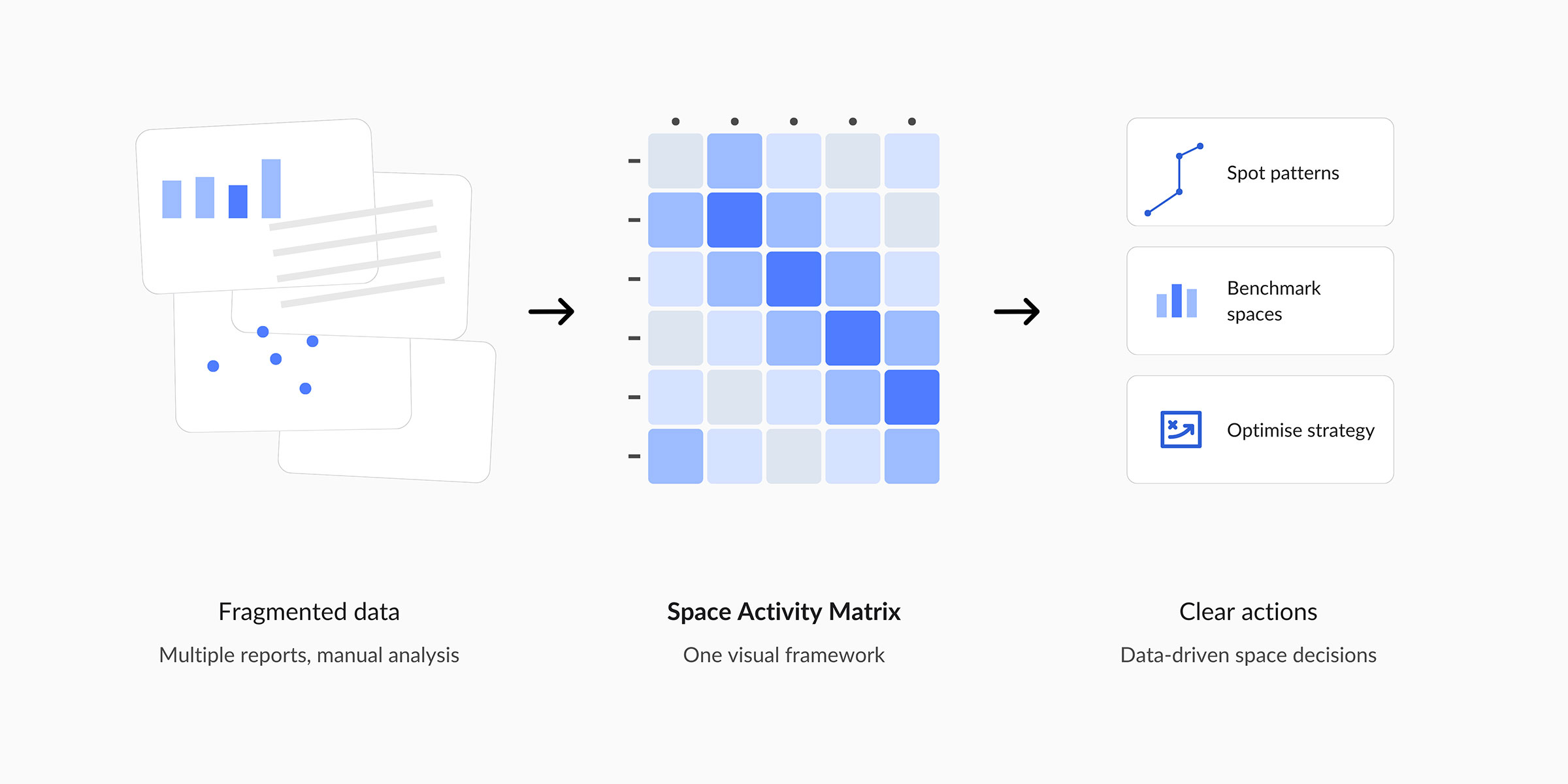
Space insights were scattered across disconnected reports, making analysis slow and manual.
Workplace and facilities teams relied on multiple dashboards and data sources to understand how spaces were used. Comparing occupancy patterns, utilisation rates, and performance required significant manual effort, making it hard to spot trends, benchmark spaces, and make confident portfolio decisions.
The Space Activity Matrix answered this with a single visual framework that consolidates complex data into a clear, actionable view.
Research Insights
Users spent more time gathering and interpreting data than acting on it.
Understanding space utilisation meant a lengthy, seven-step manual process across reports and dashboards, with the highest effort concentrated in analysis and interpretation — not data access. Research surfaced consistent friction: data fragmented across sources, dashboard fatigue from switching between reports, cumbersome cross-space comparisons, and heavy reliance on manual interpretation that risked missed opportunities.
This pointed to a clear opportunity: a single, unified experience that turns fragmented occupancy data into clear, actionable insight.
The matrix and AI collapse manual gathering and analysis, shifting effort to decision-making
Space Activity Matrix
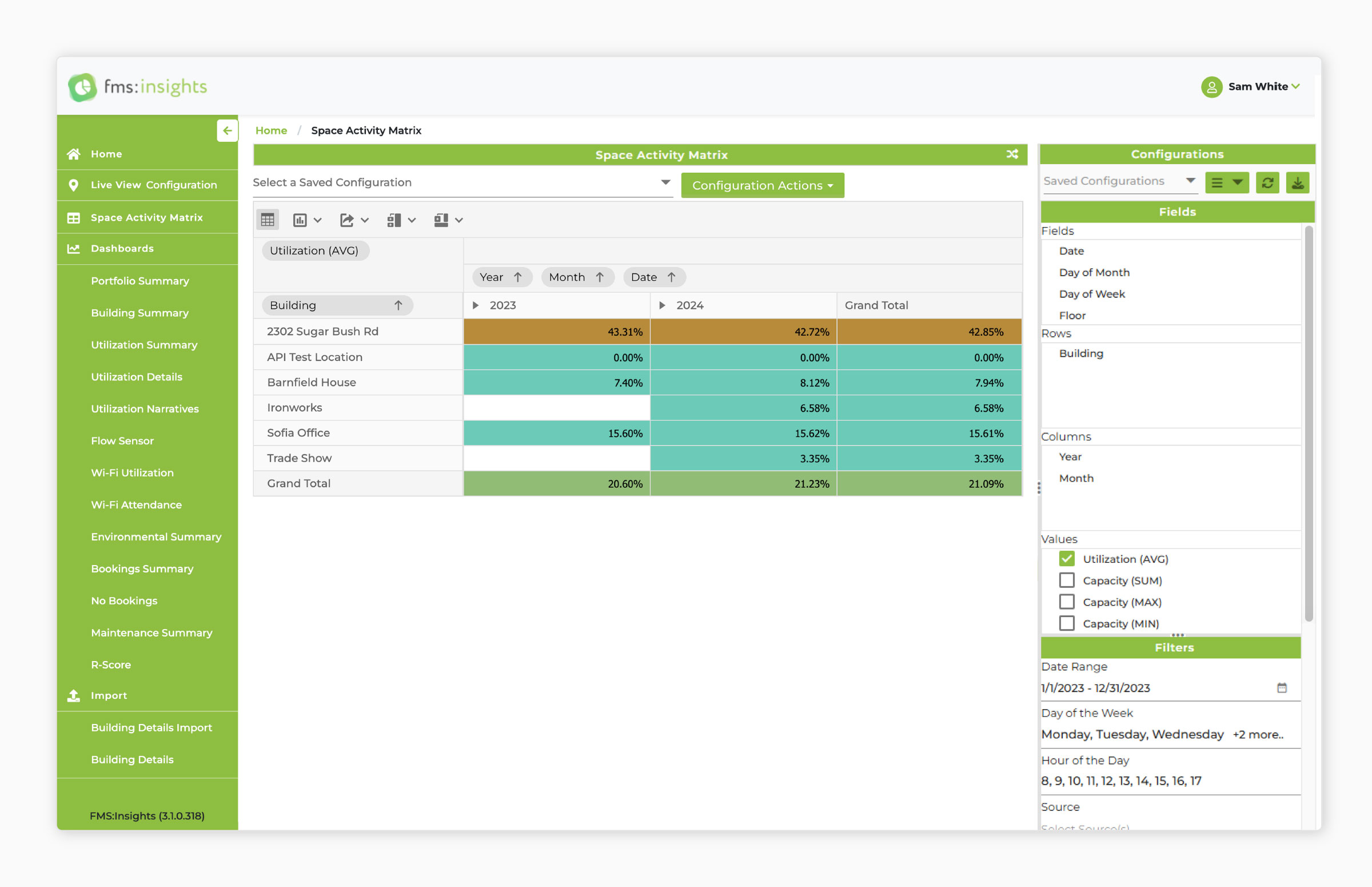
One heatmap-style view that makes patterns visible at a glance.
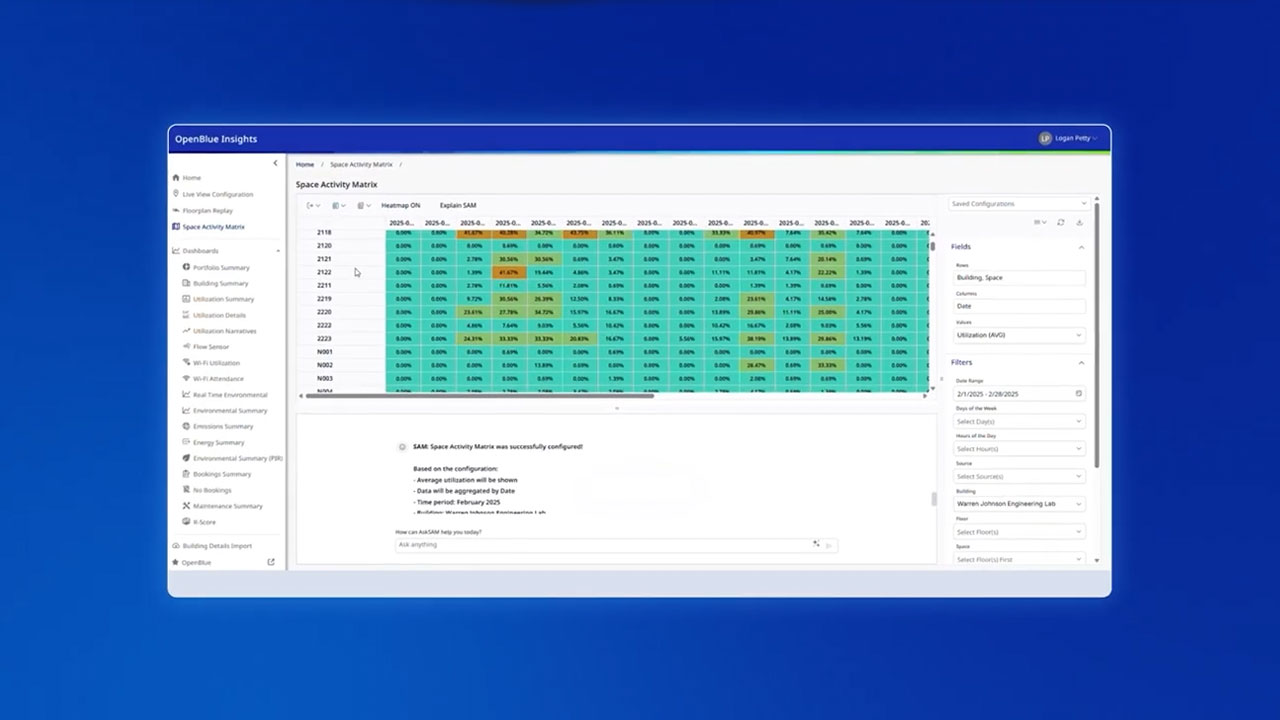
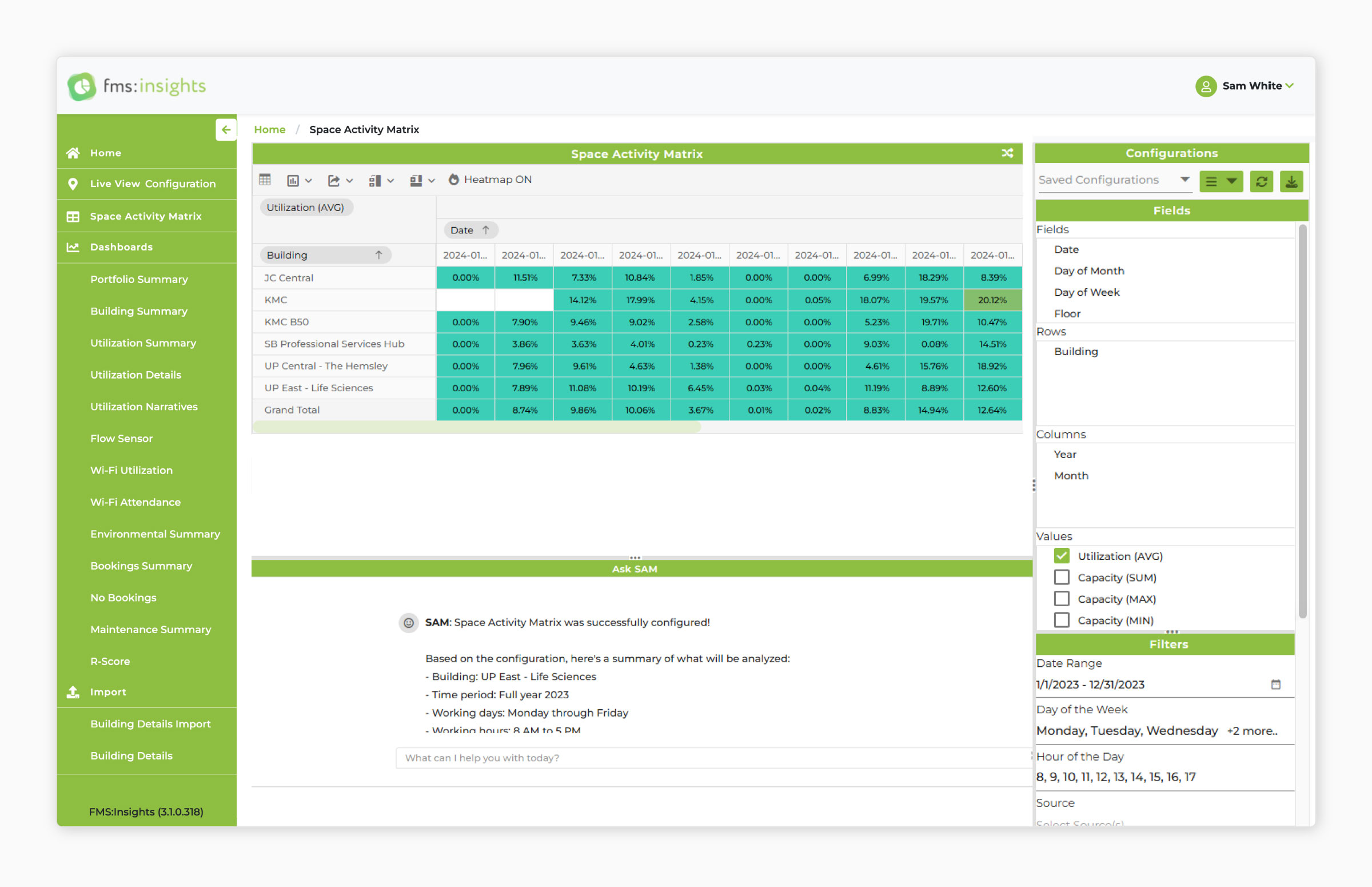
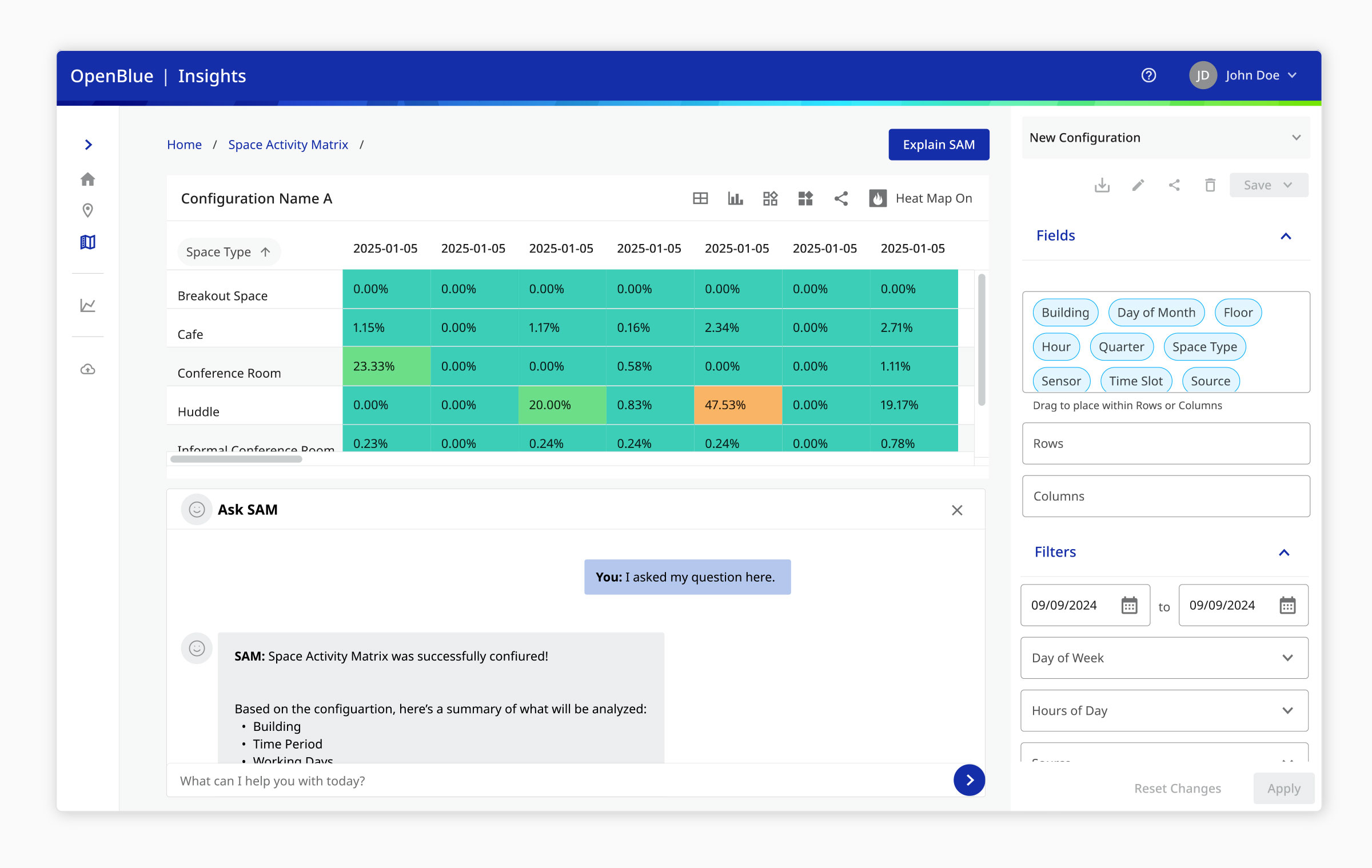
Rather than another dashboard, the matrix consolidates large volumes of utilisation data into a single visual framework. Users can compare spaces side-by-side, spot trends and anomalies quickly, and identify underutilised areas at a glance.
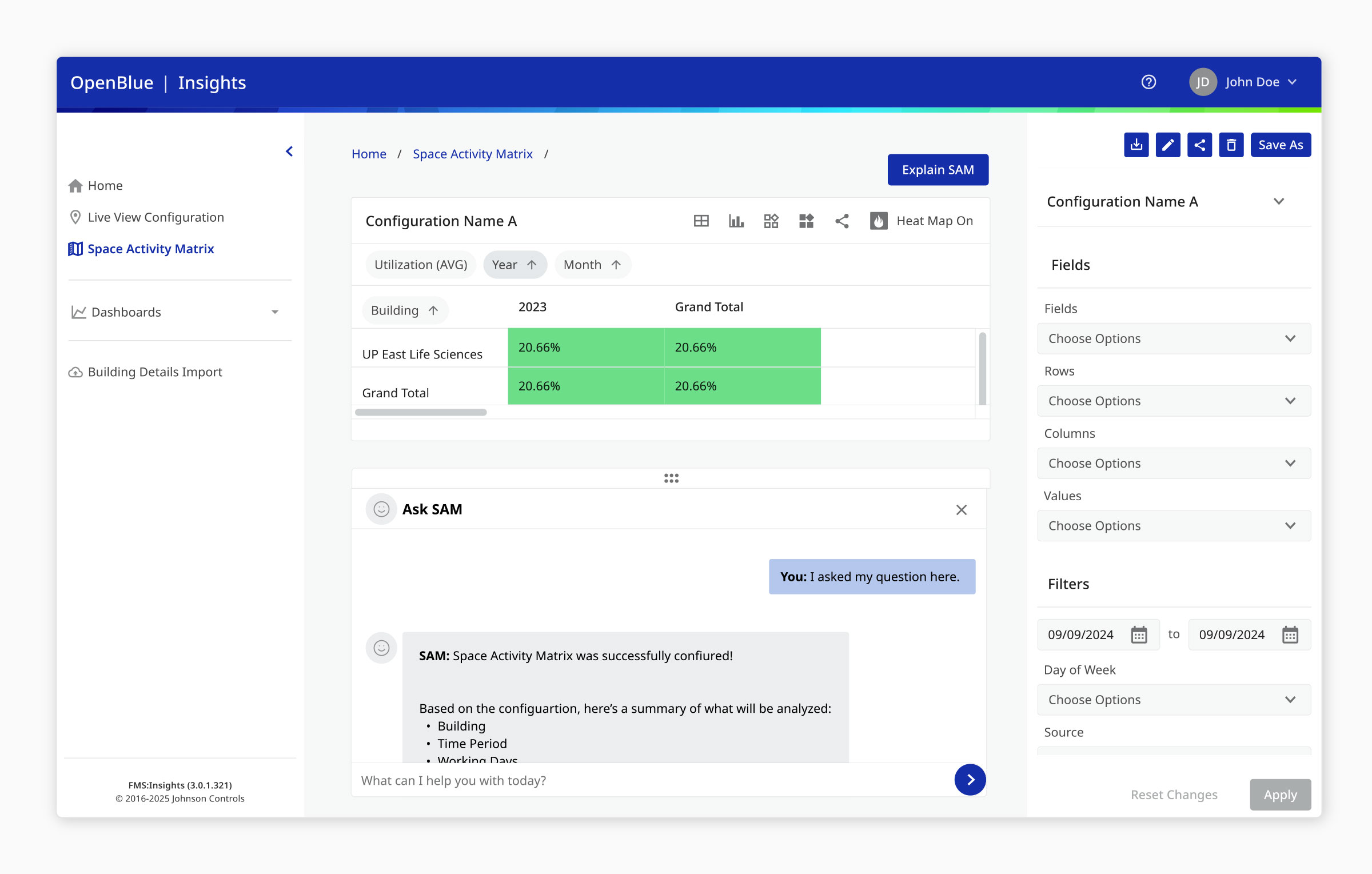
A key decision placed the matrix itself as the primary focus with configuration controls on the right — consistent with familiar analytics conventions — so users see insights before configuring data, keeping focus on patterns rather than controls. This foundation also became the platform for AI, later enabled through AWS Bedrock.
Ask SAM
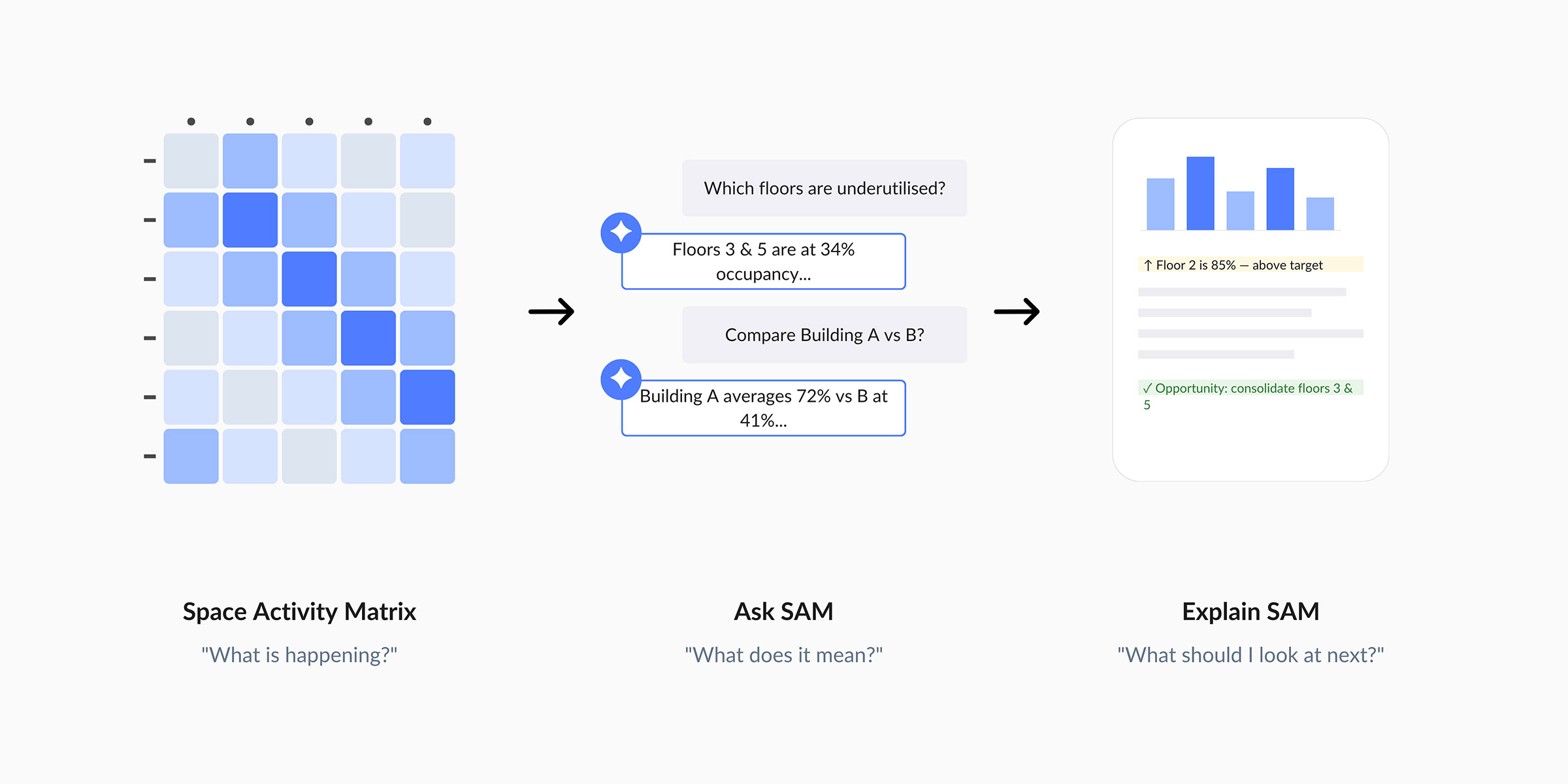
A conversational layer that lets users query the matrix in plain language.
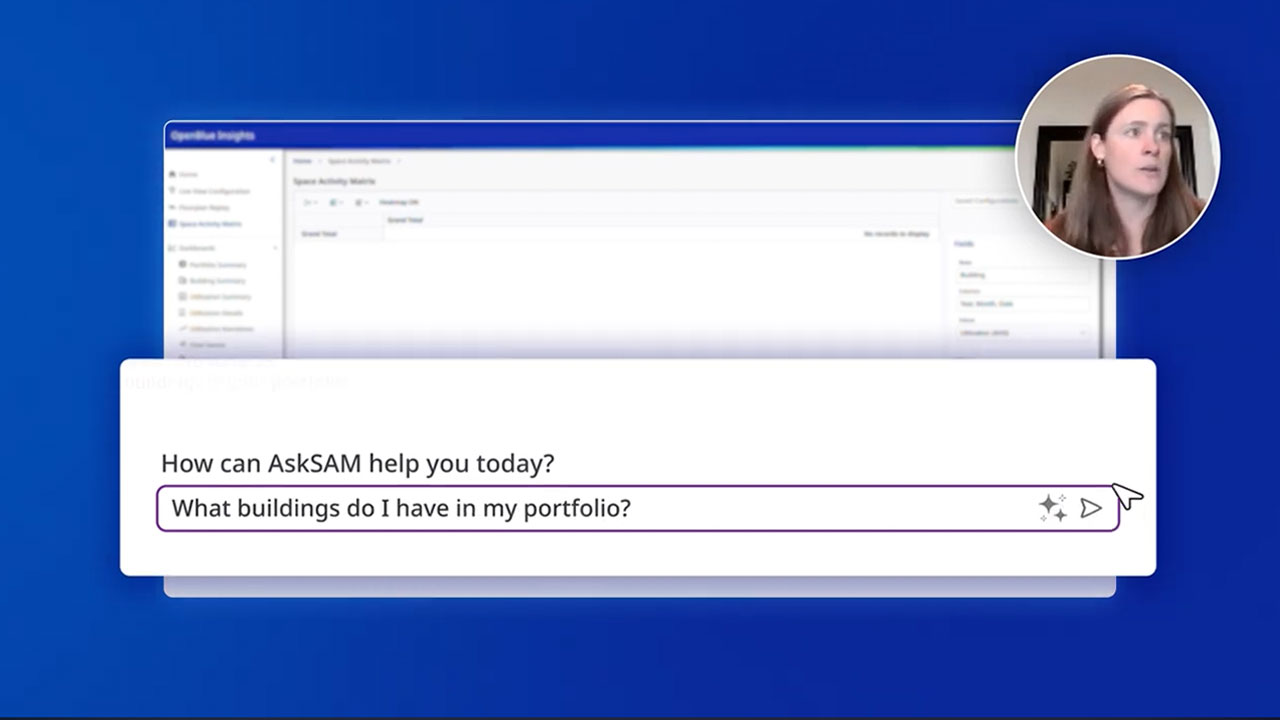
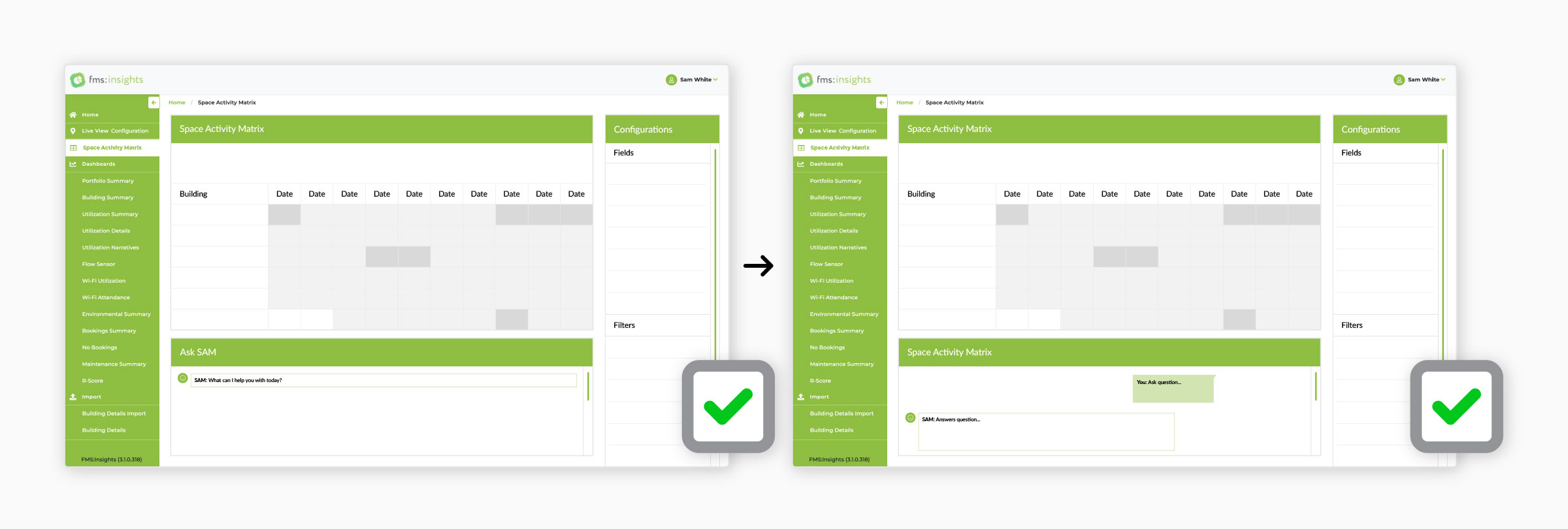
The matrix made patterns visible, but interpreting them — "Which floors are underutilised?", "How does Building A compare to Building B?" — still meant manual filtering and comparison. Ask SAM introduced natural-language querying with immediate, context-aware answers, lowering the barrier to advanced analytics.
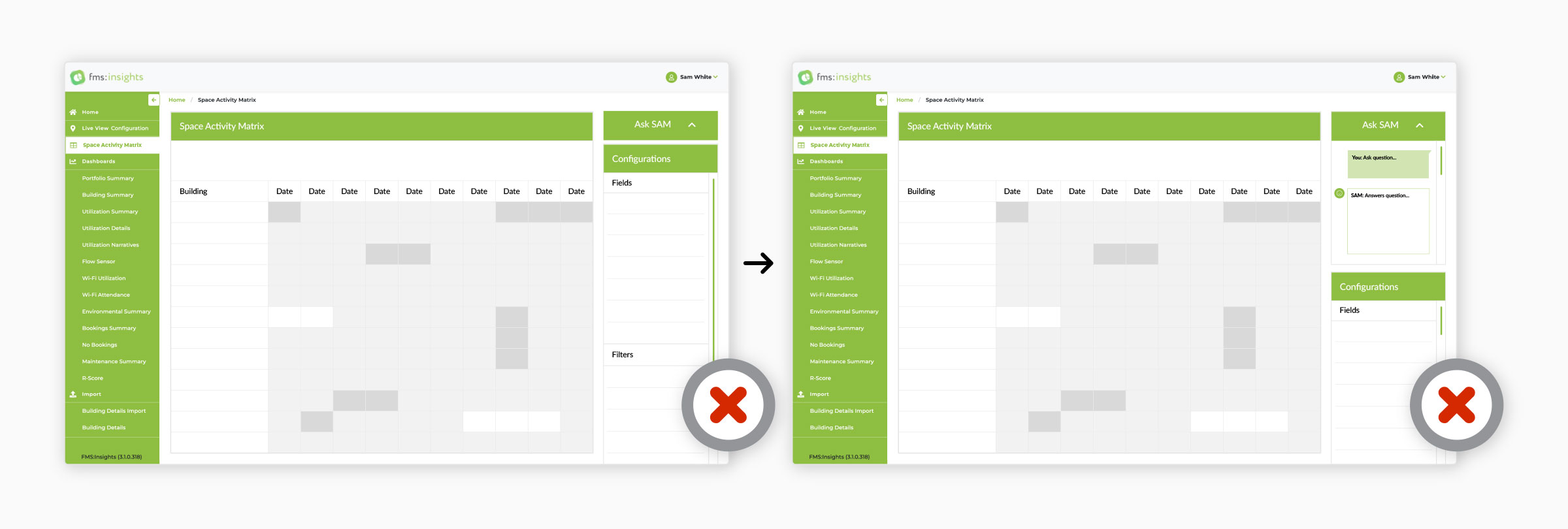
Early concepts placed it in the right-hand panel via an accordion, but that made the AI compete with filters and feel secondary. Positioning Ask SAM directly beneath the matrix created a natural flow — view data, spot a pattern, ask a question, receive insight — while keeping both the matrix and filters visible.
Explain SAM
AI-generated context that explains why a pattern matters and what to do next.
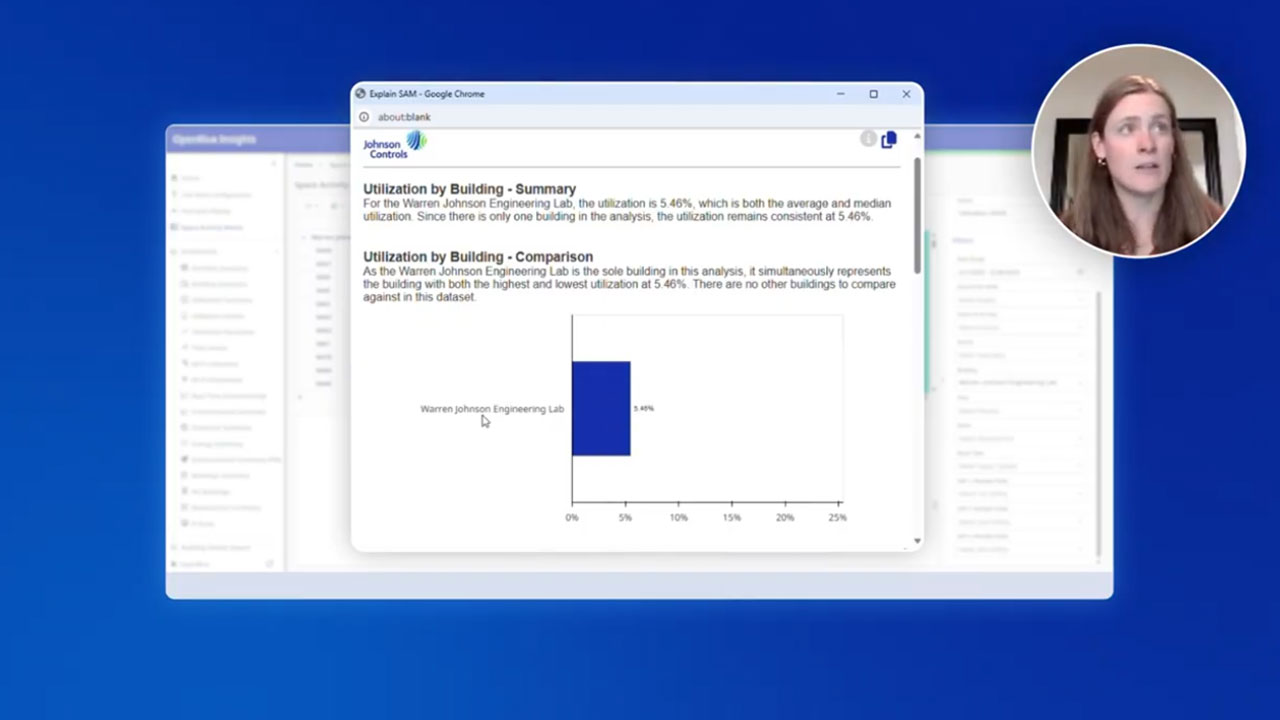
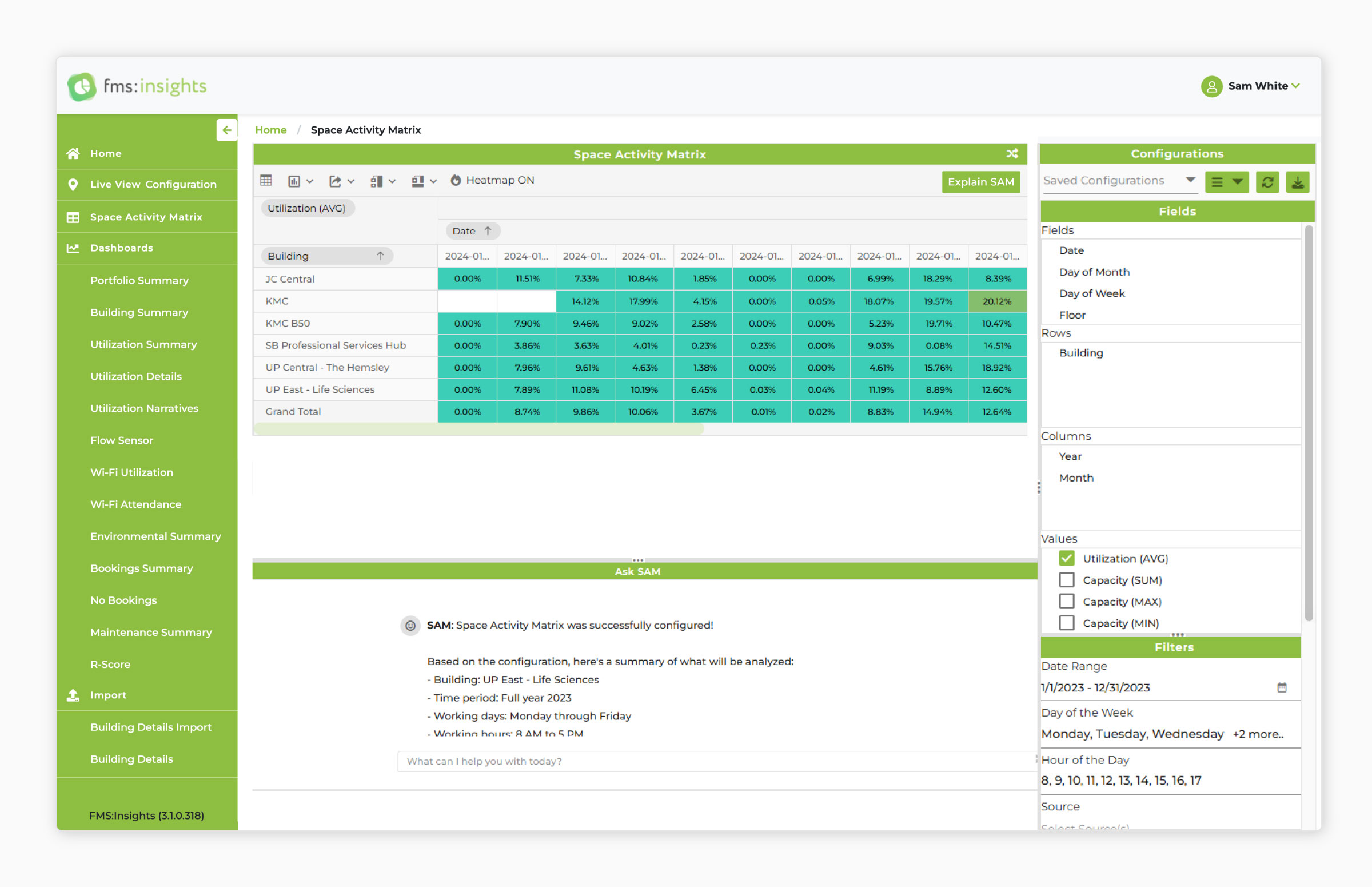
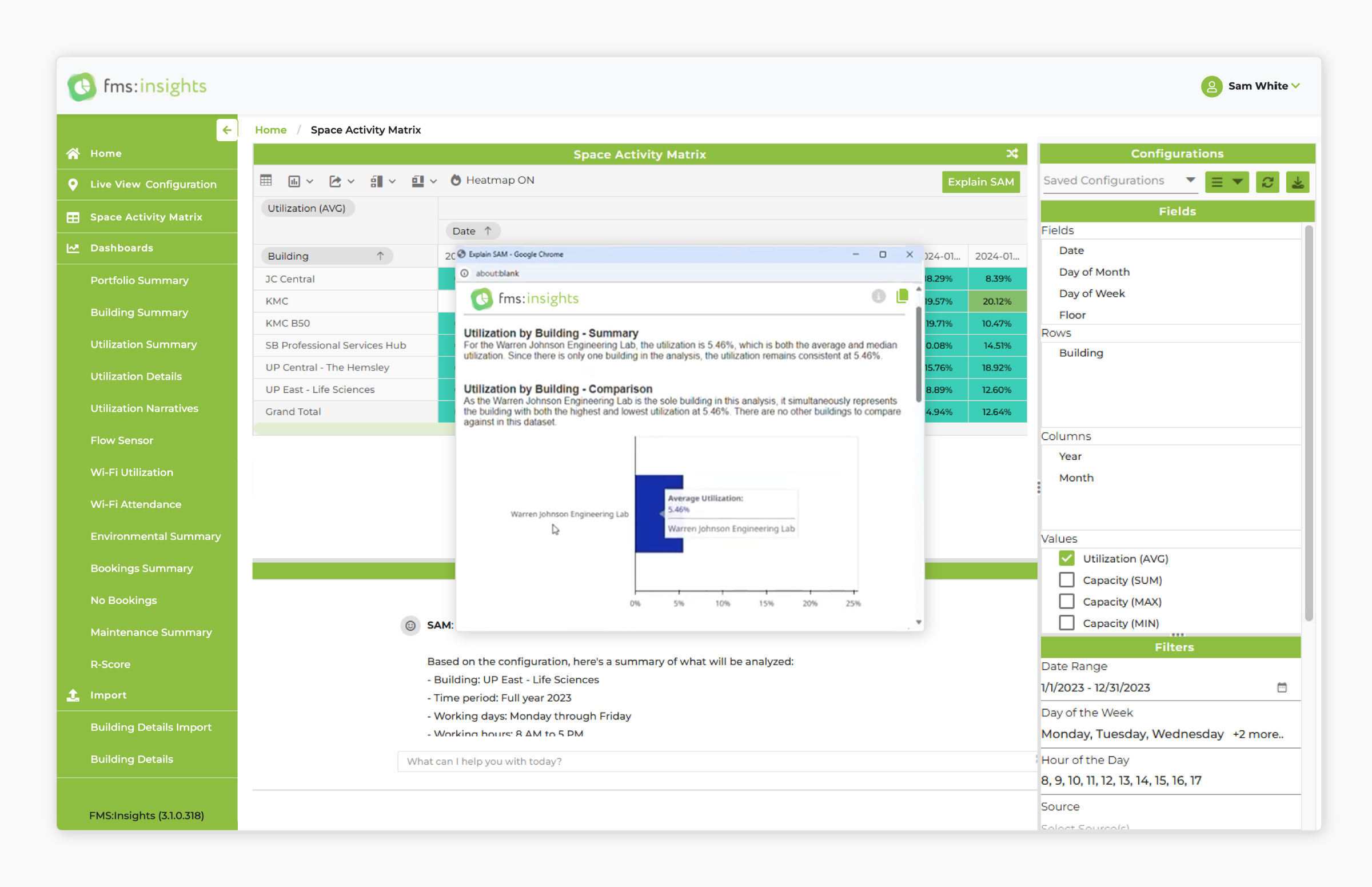
Even when users found an important trend, understanding its significance and next steps remained hard — data alone rarely gave enough context. Explain SAM generates contextual analysis directly from the current matrix view, surfaced through a dedicated toolbar button so explanations always tie to the data on screen.
Results appear in a modal overlay rather than the Ask SAM conversation, keeping focus on a specific insight, allowing richer visuals and charts, and clearly separating conversational questions from formal analysis. With one click, users move from identifying a pattern to understanding it.
OpenBlue Redesign
Modernised into the OpenBlue platform and the Element Design System.
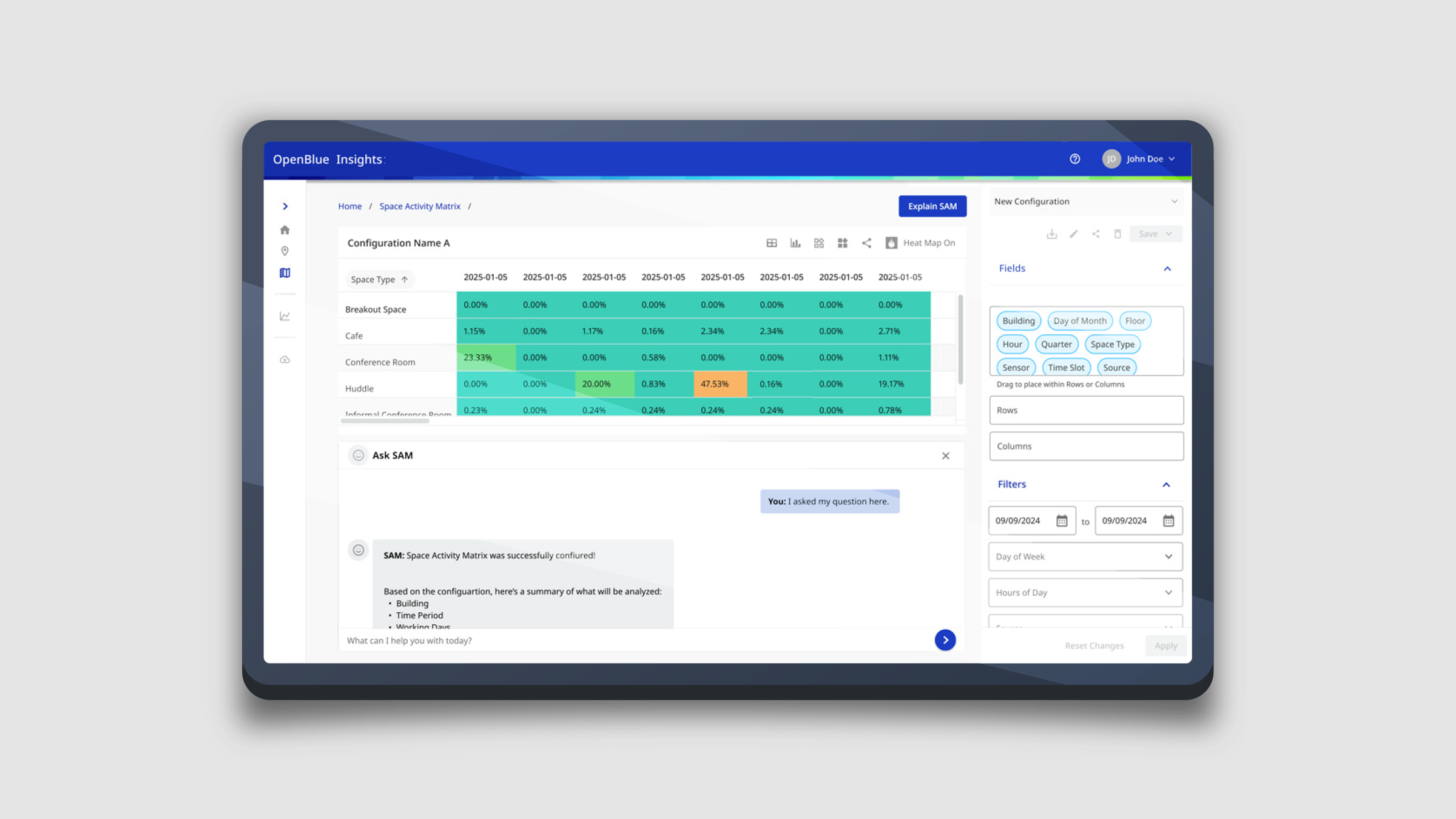
After the Johnson Controls acquisition, the Space Activity Matrix, Ask SAM, and Explain SAM were realigned to the OpenBlue platform and its Element Design System, modernising the interface while preserving the workflow users already knew.
A key enhancement was a collapsible navigation drawer: the legacy expanded nav reduced space for analysis, so letting users collapse it freed more room for the matrix and AI insights, reduced horizontal scrolling, and kept focus on analysis rather than navigation.
Outcome
A scalable, AI-assisted analytics experience that helps users find, understand, and act on data faster.
The Space Activity Matrix bridged traditional dashboard reporting and AI-assisted decision-making — simplifying complex analytics into a single intuitive experience, reducing the effort to identify trends, and improving accessibility for both technical and non-technical users through natural-language interaction.
The project reinforced designing around user needs rather than technology: by focusing on how people discover, understand, and act on data, the result made workplace insights more accessible, actionable, and impactful.
Each feature moves the user one step further — from discovery, to understanding, to action
DEMO RECORDINGS