VOX · SHIPPED 2018
Vox Customer Zone Mobile Application
Overview
Redesigning a self-service app to cut call-centre reliance and lift engagement.
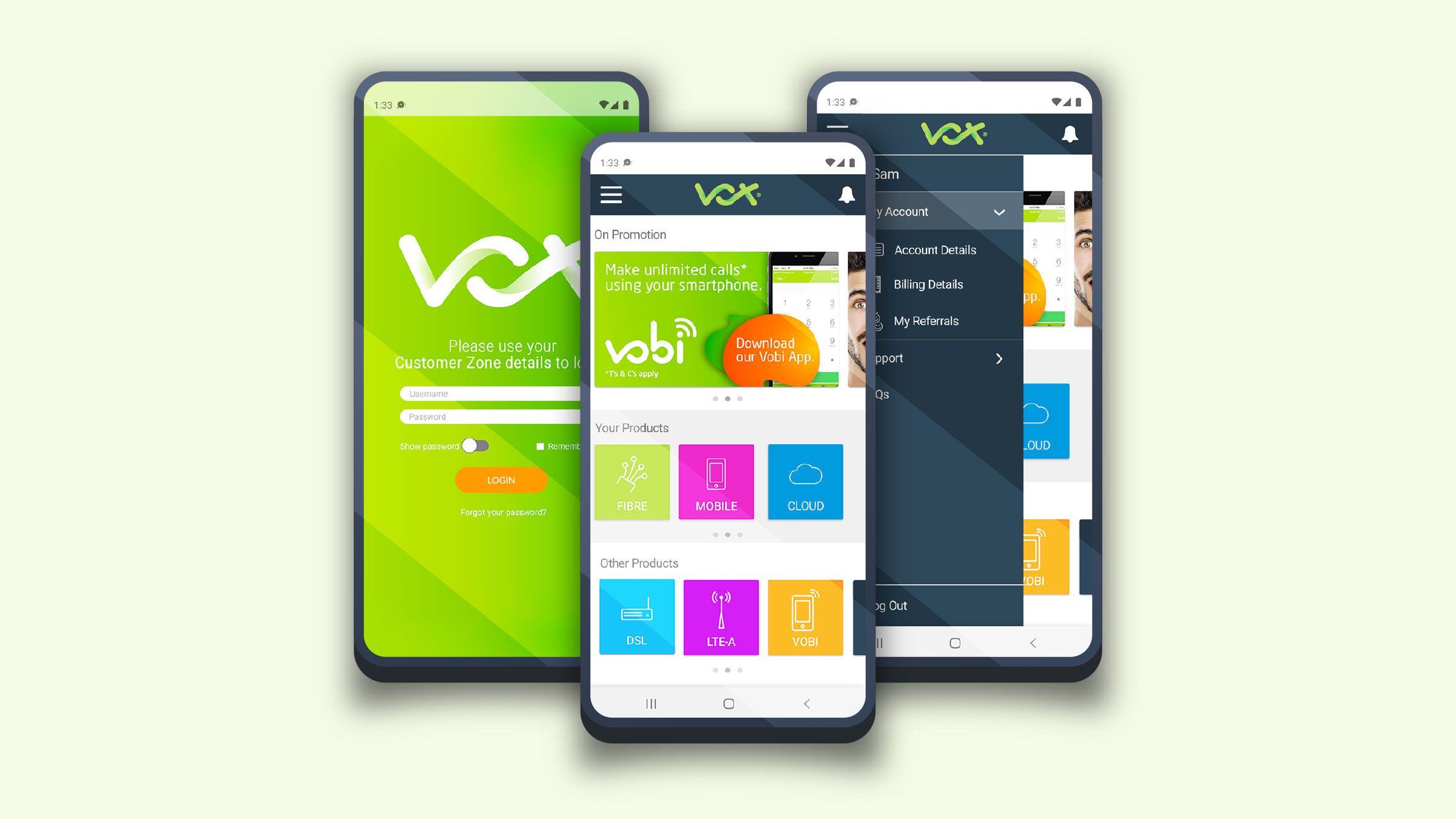
In 2018, I led the redesign of the Vox Telecommunications Customer Zone mobile application to improve usability, increase self-service adoption, and reduce reliance on call-centre support. The existing app suffered from unclear navigation and low engagement, creating friction in key customer journeys.
The redesign focused on simplifying information architecture, streamlining core tasks, and modernising the interface for account management on mobile. Users reported a clearer, more intuitive experience, while the business saw increased active usage, improved task-completion rates, fewer support requests for routine actions, and higher customer satisfaction following launch.
I also drove the research and planning (information architecture, persona mapping, user-journey flows and prototyping) and personally designed all wireframes and UI across every page.
- Role
- Senior UX/UI Designer
- Timeline
- 2018
- Team
- Outsourced Agency Engineering UX/UI Design
- Skills
- UX Strategy Information Architecture Mobile UX Wireframing Low-Fi to Hi-Fi Prototyping Interaction Design UI Design Cross-functional Leadership
The Product
Vox’s primary self-service touchpoint for managing services on mobile.
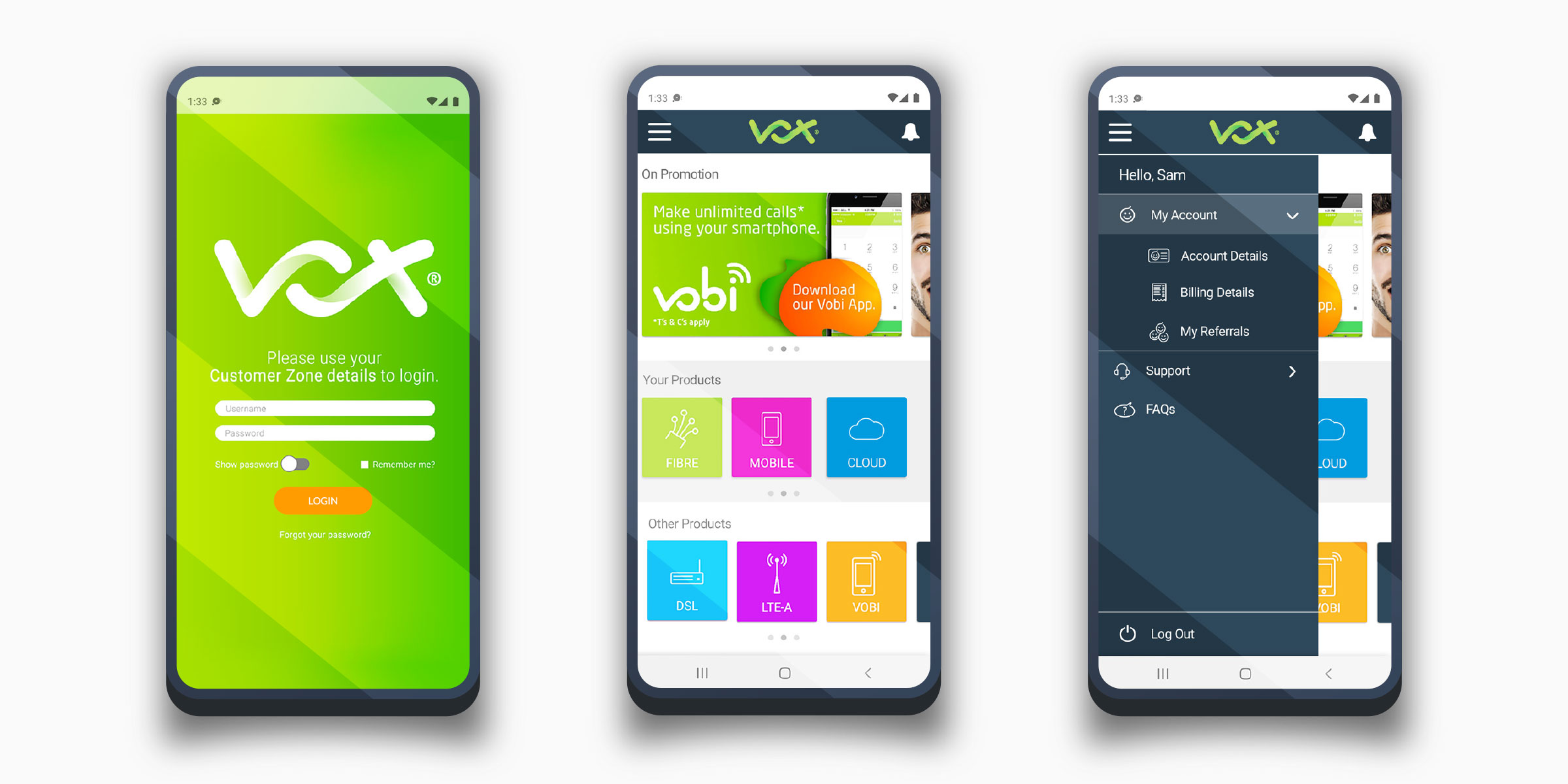
The Vox Customer Zone mobile app is Vox Telecommunications’ self-service platform, enabling customers to manage their services, usage, billing, and support digitally.
As Vox’s primary customer touchpoint, the app supports high-frequency account tasks and is designed to reduce reliance on call-centre support through intuitive, on-the-go service management.
Collaboration & Delivery
Leading the experience end-to-end with a cross-functional agency team.
I partnered with an outsourced, cross-functional agency team to deliver the Customer Zone mobile app end-to-end. Working closely across design, development, and delivery, I led the experience from discovery through to launch — aligning business goals, user needs, and technical constraints to ensure a cohesive, user-centred final product.
Low-Fi Foundation
Establishing a clear, scalable structure before visual design.
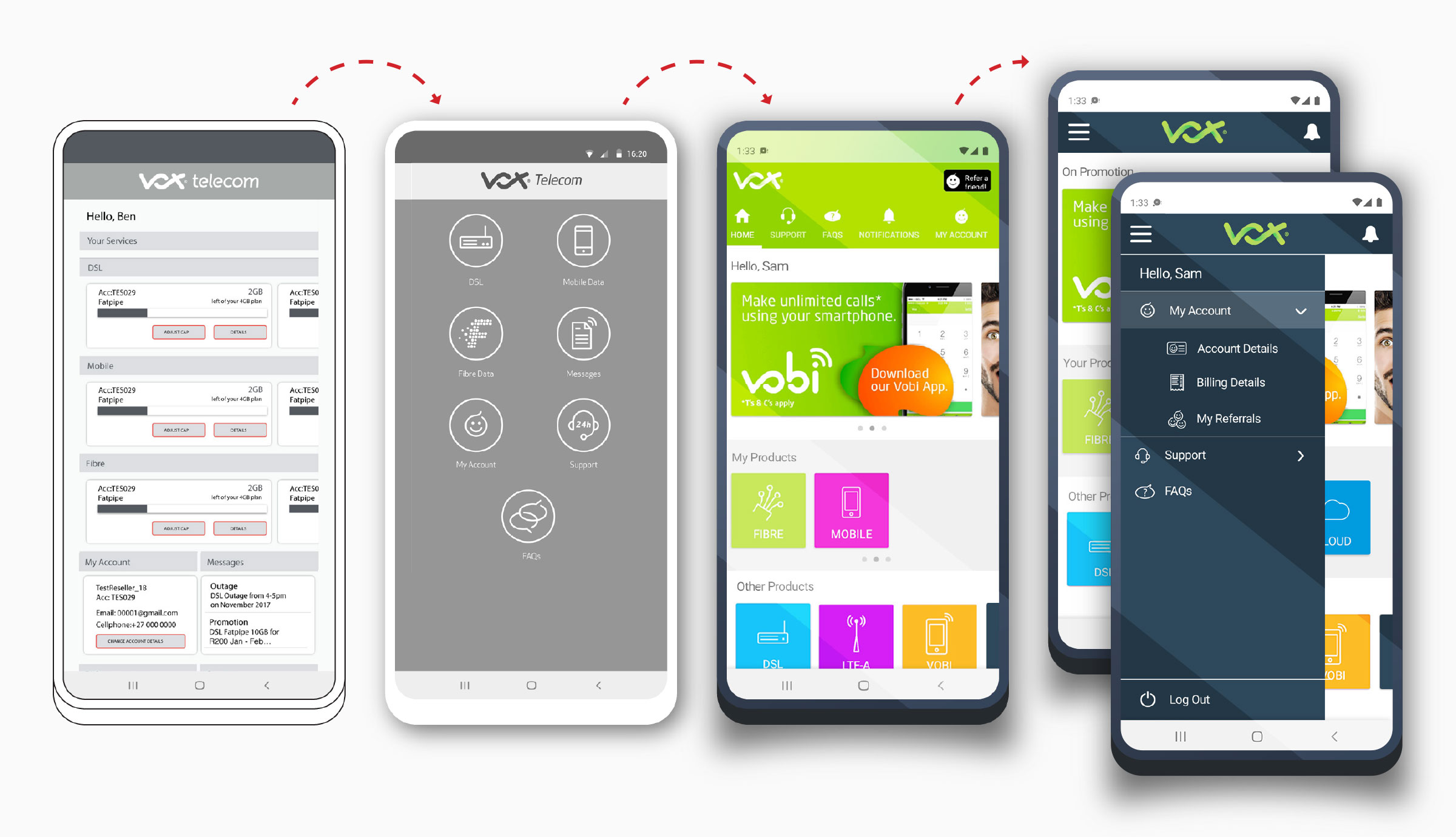
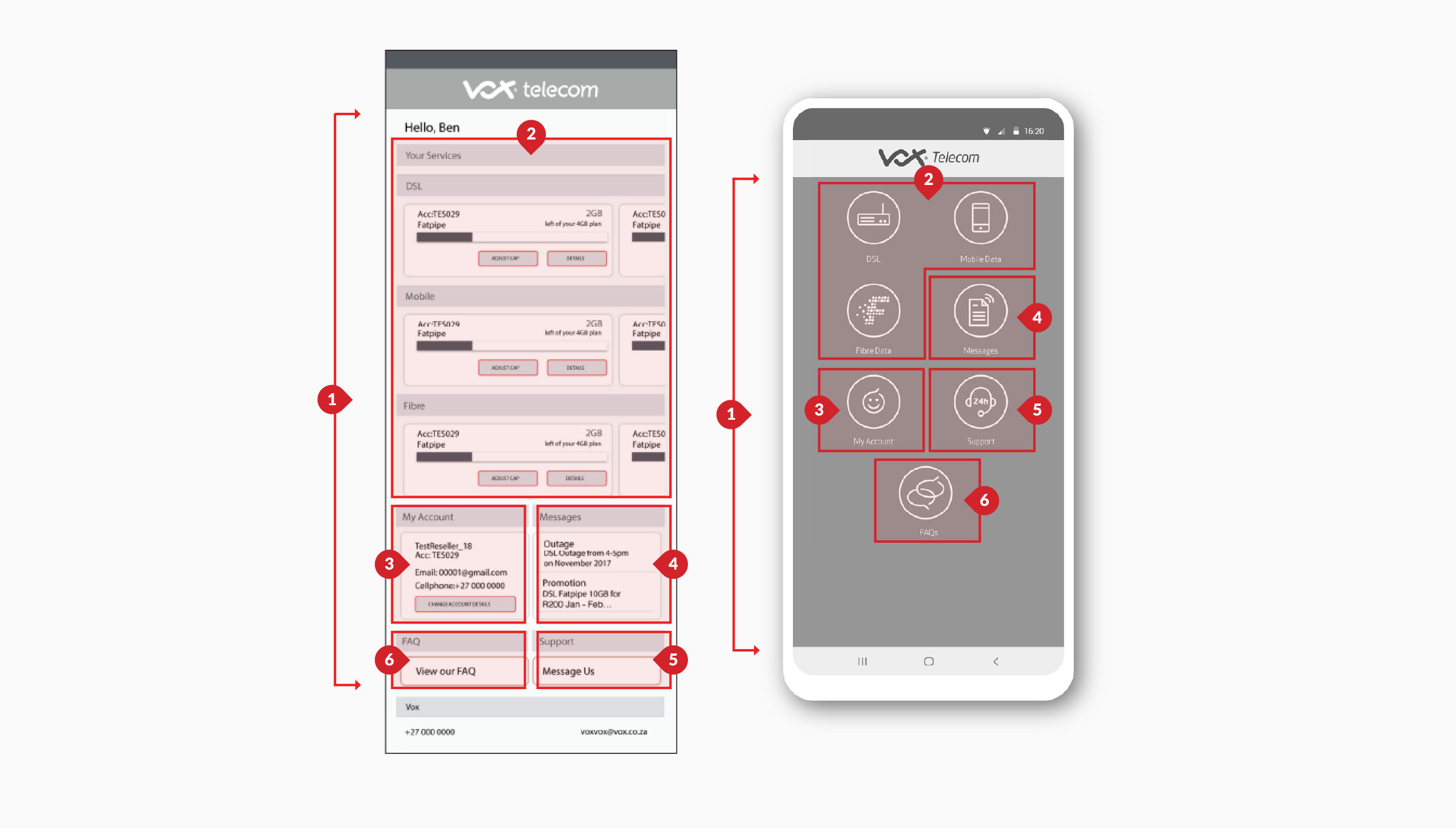
Each iteration refined the homepage — from structure, to clarity, to brand, to optimisation
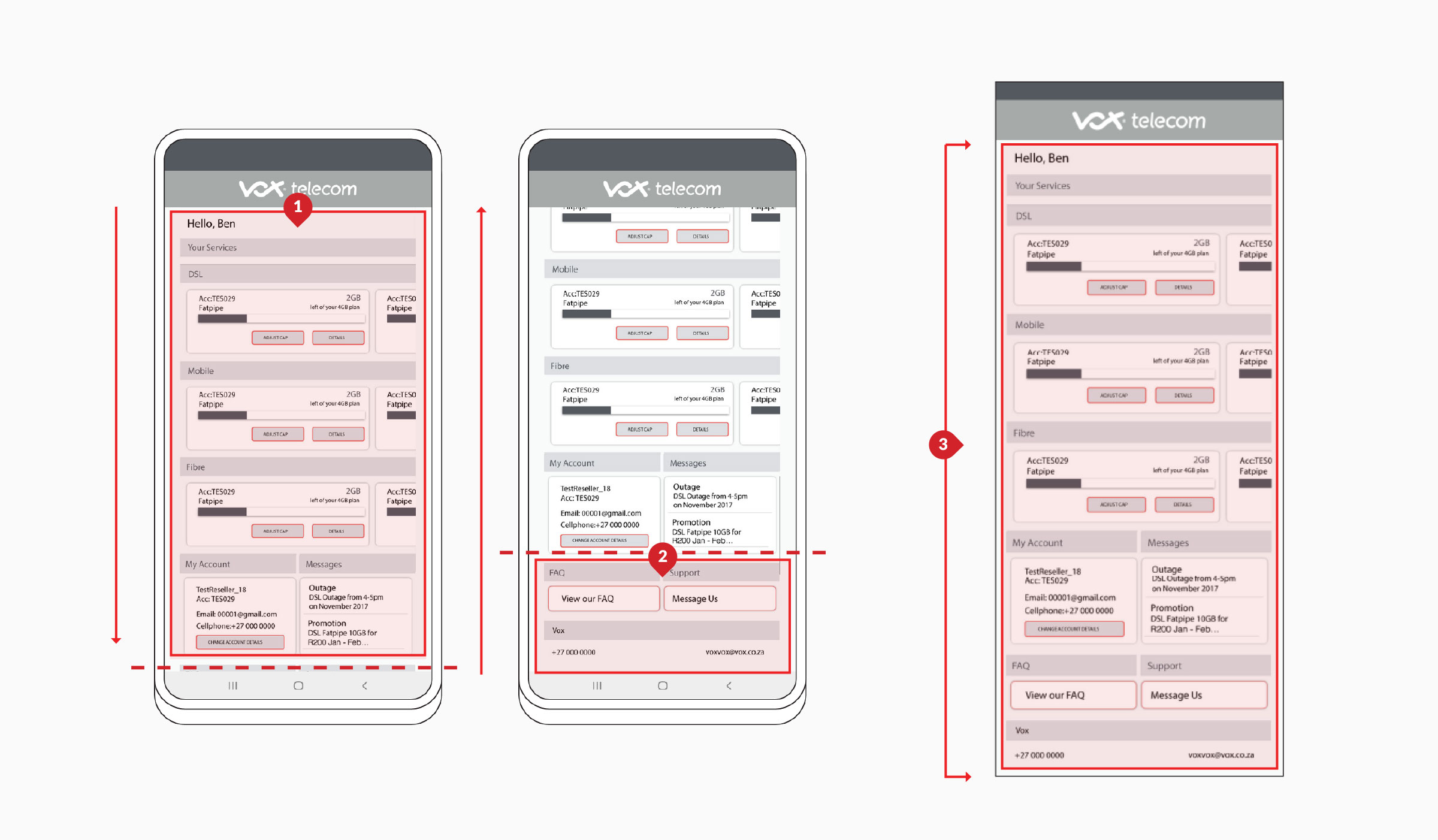
The initial low-fidelity design established a clear, scalable structure for the app’s core self-service experience. Wireframes prioritised the landing page as a central control hub, giving users immediate visibility of their products, account status, and key actions.
Core sections — User Products, My Account, Support, Messages/Notifications, FAQs, and Contact — were surfaced early to reduce friction and support fast access to high-frequency tasks. The simplified layout allowed rapid validation of navigation, content hierarchy, and user flows before visual design and development, ensuring the foundation was intuitive, task-driven, and aligned with customer and business needs (Sections 1 & 2 = the extended section 3 low-fi visual reference).
Designing for Clarity
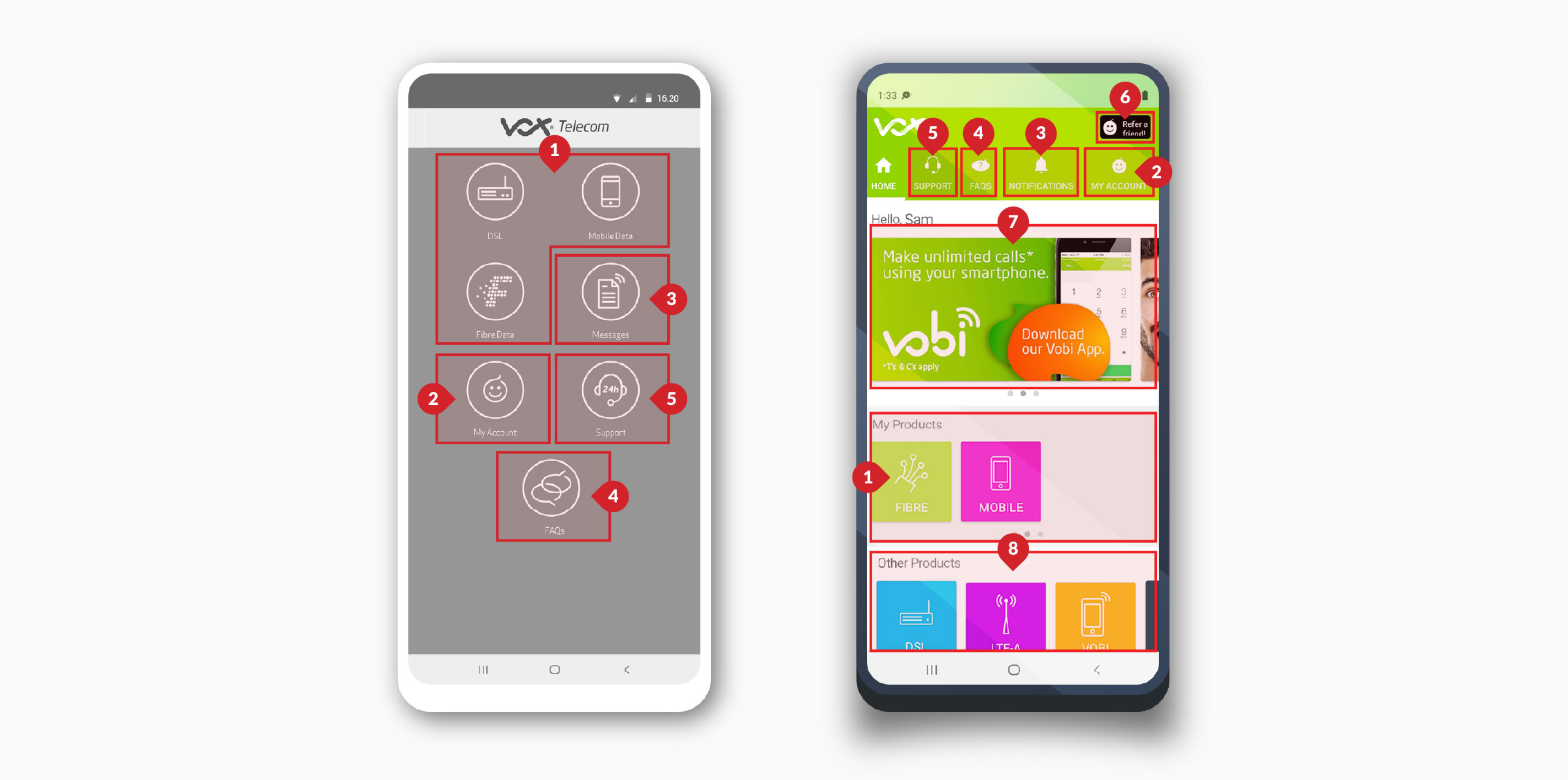
Surfacing every essential action without scrolling.
The next challenge was to surface all essential actions on the main interface without scrolling, forcing clear prioritisation (1). We simplified visual cues for The User’s active products (2) and deliberately retained one‑tap access to My Account (3), Messages/Notifications (4), Support (5), and FAQs (6), ensuring users always felt in control, informed, and supported.
UX principle takeaway: prioritise visibility and recognition over recall. Critical actions should be immediately accessible, reducing cognitive load and increasing user confidence.
Brand & Growth
Aligning the experience with the brand — and turning it into a growth channel.
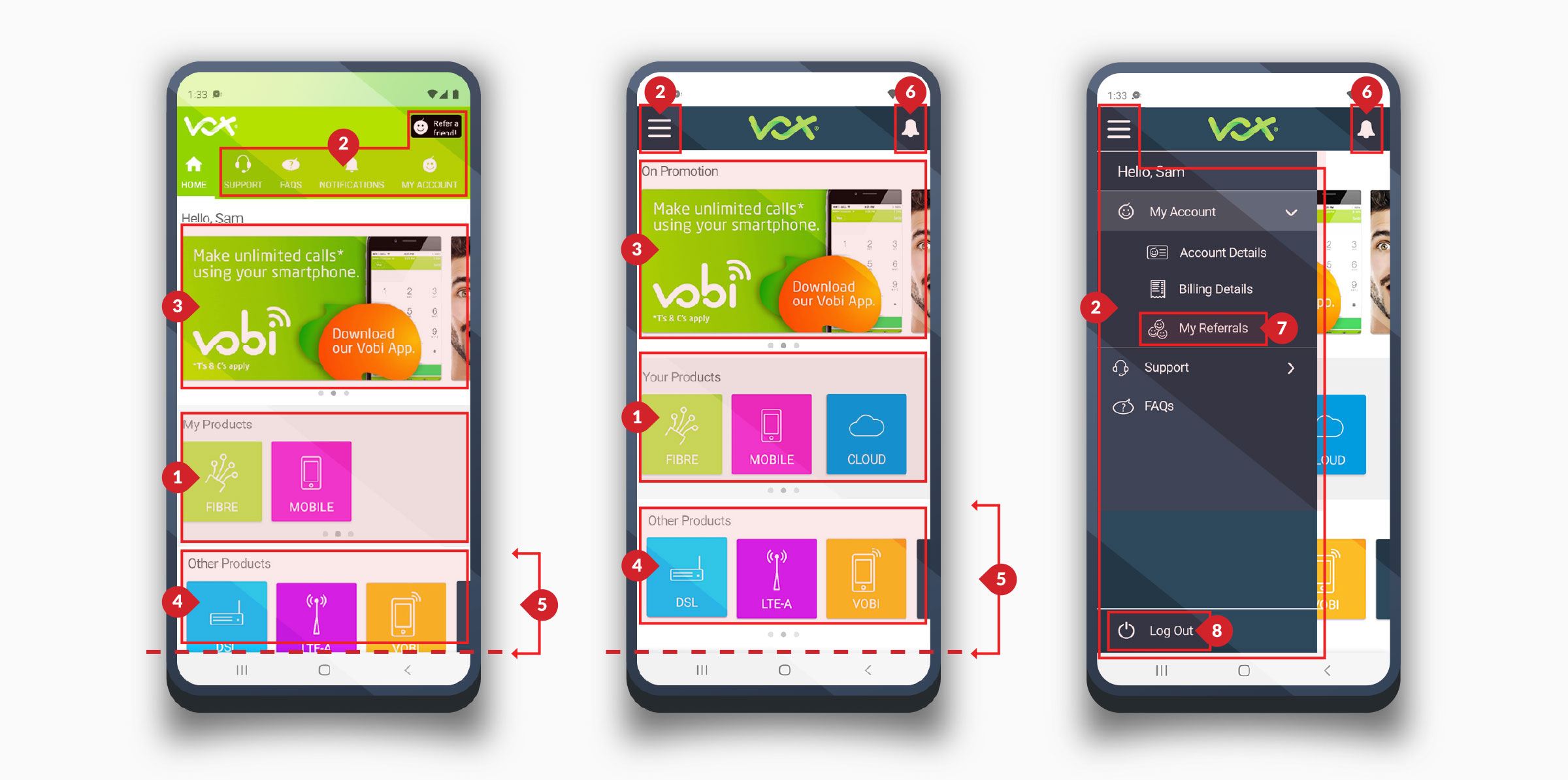
The next phase aligned the interface with Vox’s new corporate identity and re‑centred the experience around fast access to active products (1), My Account (2), Notifications/Messages (3), FAQs (4), and Support (5)—reinforcing clarity, trust, and consistency.
To extend value, we introduced a referral programme (6), promotions (7), and product cross‑sell section (8), evolving the Customer Zone from a utility into a branded engagement and revenue channel.
UX Principle Takeaway: Consistency builds trust, and value is most effective when integrated into familiar, user‑controlled journeys.
Maximising Interface Value
Smarter use of screen real estate, without losing quick access.
The next evolution focused on making smarter use of the interface’s visual real estate. We retained the active user products (1) as the primary focus, while consolidating My Account, Messages, Support, FAQs (2) into a single expandable menu. Including the referral programme (7) and a log out option (8).
This approach reduced surface‑level clutter and freed up space on the main screen (5), allowing users to clearly see and recognise all of their product cues at a glance (3 & 4)—without sacrificing access to critical actions. A notifications visual cue has also been included (6).
Outcome
A clearer app that lifted self-service and reduced support load.
The Customer Zone redesign turned a low-engagement utility into a clear, confident self-service experience. By grounding the design in visibility, recognition, and consistency — and validating structure in low-fi before committing to visual design — the app delivered increased active usage, improved task completion, fewer routine support requests, and higher customer satisfaction after launch.
- ✓Increased active usage and self-service adoption
- ✓Improved task-completion rates
- ✓Fewer support requests for routine actions
- ✓Higher customer satisfaction post-launch